Overlays: Dose Response
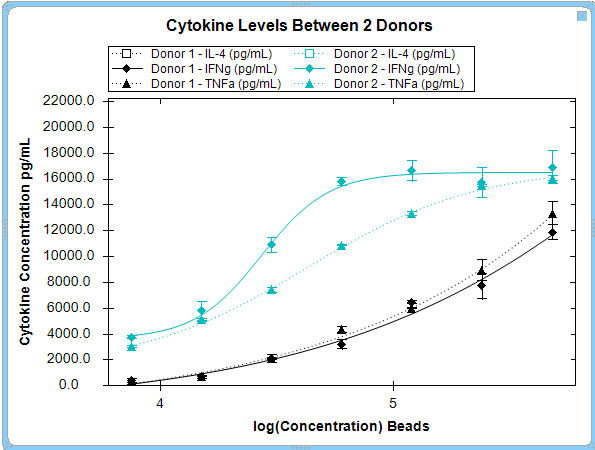
 Dose response overlays show the overlay of multiple metrics and series on a single plot as shown below.
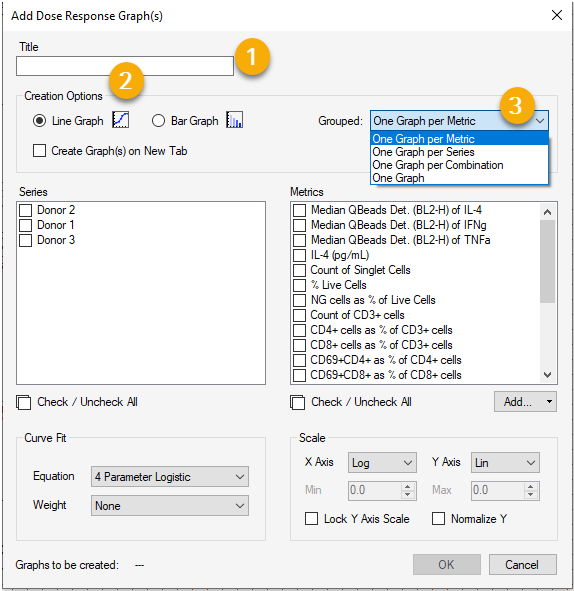
You can create a dose response overlay by clicking on the icon in the tool bar. This displays the Add Dose Response Graph(s) dialog box. It is optional but recommended to add a title to your graph, as shown in (1).
Next, you may select the line graph option within the Creation Options section of the dialog box (2).
You then may choose to display and compare using the drop down menu (3) to select one of several different metric and series display options.