|
iQue Forecyt® Reference Guide (Version 10.0)
|
Export: Metrics

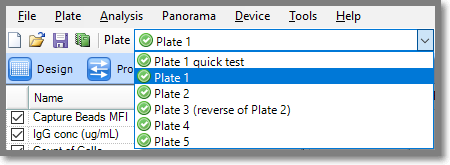
When exporting Metrics from a multi-plate experiment, select the specific plate from the drop-down menu.
Export Current Plate
With the plate selected, clicking on Export Current Plate opens a tabbed menu as shown in the following screenshot.
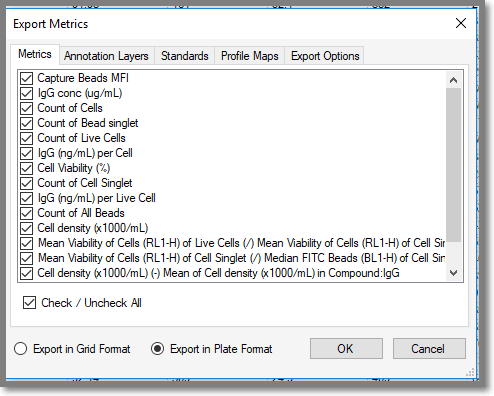
In the Metrics, Annotation Layers, Standards and Profile Maps tabs of Export Metrics you can select or deselect via check boxes the metrics you wish to output in either a Grid Format or Plate Format. Both Grid and Plate format have further customizations in the Export Options tab as shown in the following screenshot. Options in this screen are enabled or disabled according to whether you are exporting in Grid or Plate Format. This menu is associated with all the tabs in Export Current Plate.
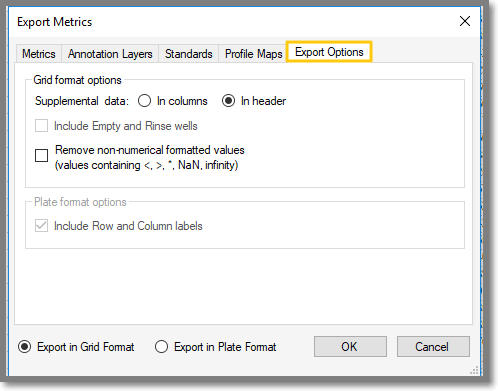
The Supplemental Data radio buttons allows you to specify formats for output data.
In columns: when selected, provides additional columns for Experiment name, Analysis name, Plate name, an Export Date and Time, Row name, and Column name columns.
In header: this format has a single plate header line at the top of the .csv file.
As soon as you click OK a window opens that allows you to specify where to save the .csv file.
Export Multiple Plates
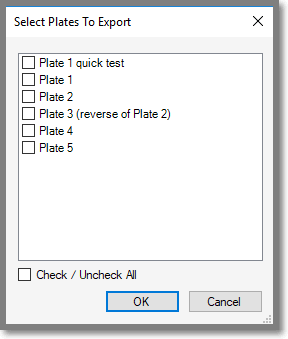
Export Multiple Plates allows you to export all or selected plates in you experiment by checking the check boxes next to the plates you wish to export. When you’ve checked the plates and click OK, the dialog opens the main Export Metrics tabbed menu. It will only show items that have the same name in all plates.