|
iQue Forecyt® Reference Guide (Version 9.0)
|
Overview of Enabled Compensation Screen
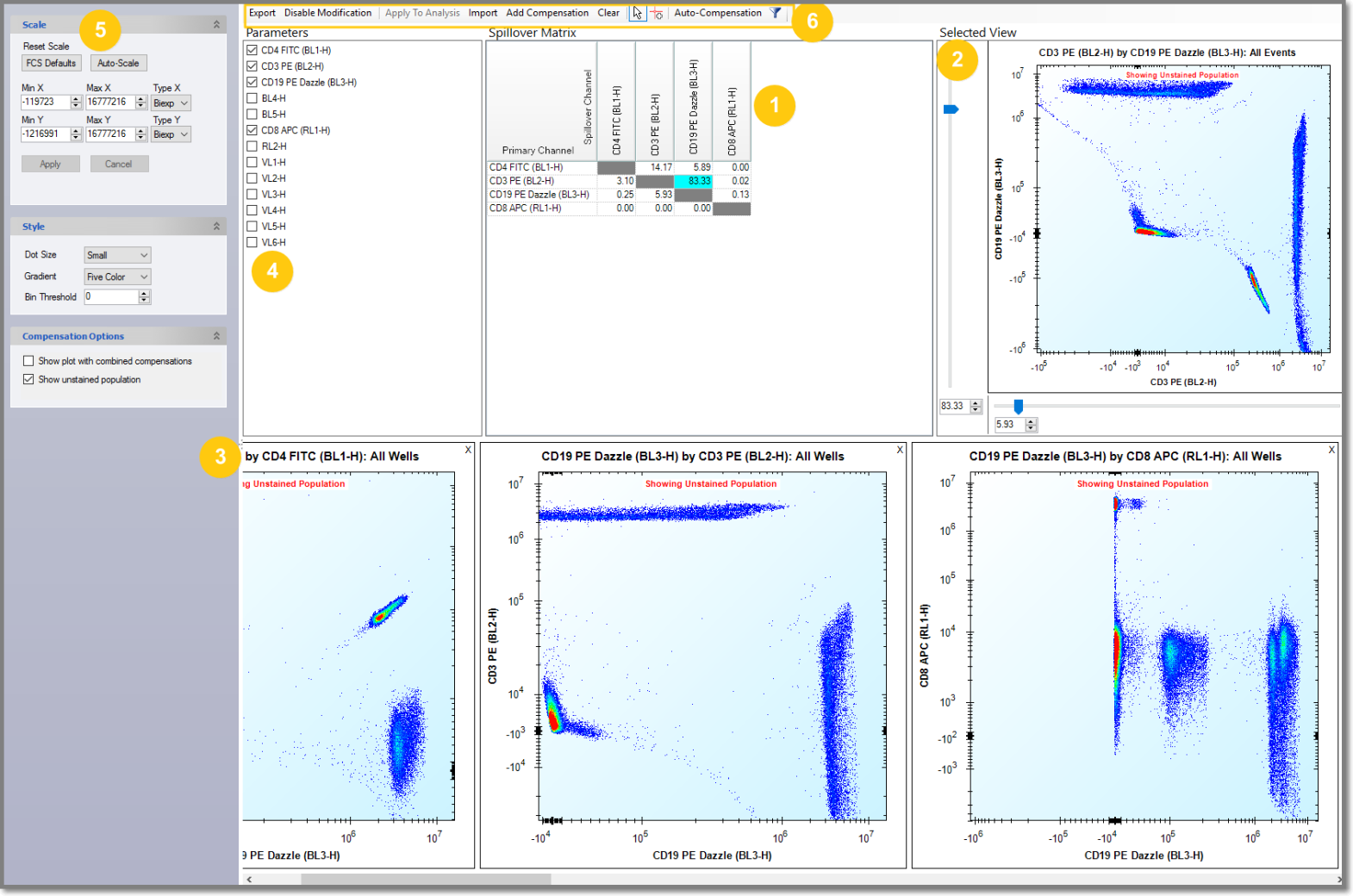
This screenshot shows all the functions in the Compensation screen after Enable Modifications.
(1) Spillover Matrix
(2 Selected View with a compensation plot
(3) Additional plots
(4) Parameters
(5) Settings sidebar for the selected plot
(6) Tool bar
All plots are resizable and the sidebar can be collapsed. Parameter has a scrollbar, or, you can enlarge the box by clicking on the left side and dragging it.
Additional plots will tile and there is a scroll bar for the plots if there are too many to display. You can also zoom in and out in the selected view with the scroll wheel on your mouse.