
|
iQue Forecyt® Reference Guide (Version 9.0)
|
Preferences
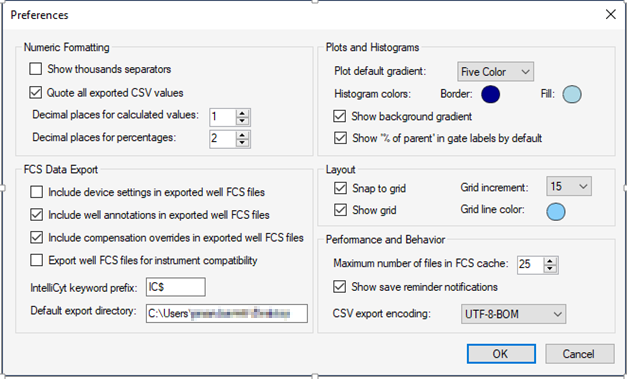
Preferences window allows you to fine tune the default functions of iQue Forecyt®. In a multi-user environment, these preferences can be customized for each user so that each instance of iQue Forecyt® uses unique settings for specific requirements.
Numeric Formatting
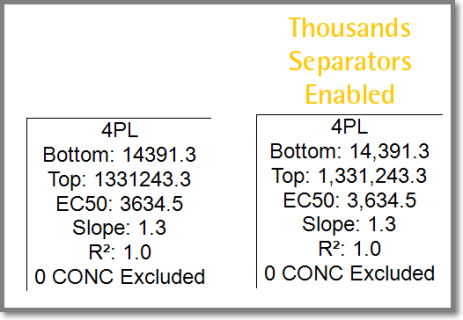
Show thousands separators: This field is unchecked by default. Check this box to show thousands separators in numeric values that are displayed in analysis items and metrics.
Quote all exported CSV values: This field is checked by default. Check this box to set the output format of all values exported in CSV files to be enclosed in double quotes. Uncheck this setting to output numeric fields without double quotes.
Decimal places for calculated values: The default for this field is 1. Modifying this field changes the format for values displayed in iQue Forecyt® to a specified number of zeros following the decimal separator.
Decimal places for percentages: The default for this field is 2. Change this field to format percentages displayed in iQue Forecyt® to a specified number of zeros following the decimal separator.
FCS Data Export
FCS Data Export
Include device settings in exported well FCS files: This field is unchecked by default. Check it to include Protocol keywords in the well FCS header such as sip time, up time, rinses, cleans, shakes, etc.
Include well annotations in exported well FCS files: This field is checked by default. When it is checked this field includes well content annotations (e.g. Well Type of “Sample”) in the header of exported Well FCS files.
Include compensation overrides in exported well FCS files: This field is checked by default. When it is checked this field includes compensation values defined for the plate in the Spillover section of the header for the exported Well FCS file.
Export well FCS Files for instrument compatibility: This field is unchecked by default. Check this field to export Well FCS files in a different format if you are having compatibility issues with other software packages.
FCS keyword prefix: By default, optional keywords output to the header use IC$. However, you may specify a different prefix for exporting FCS data.
Plots and Histograms
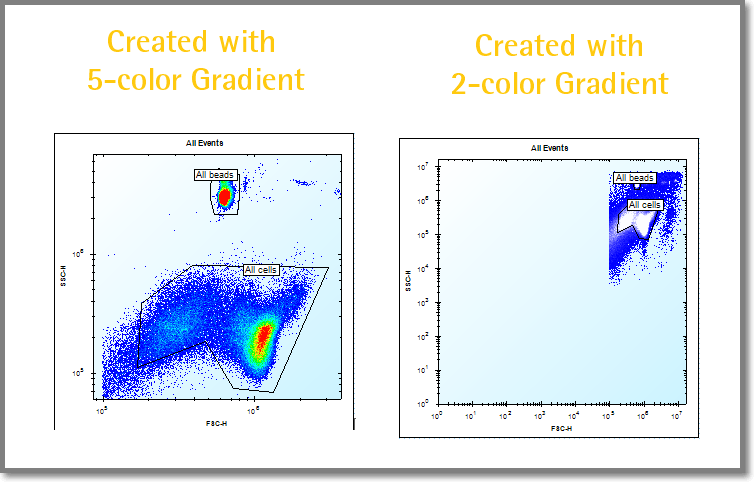
Plot Default Gradient: The default is a Five-Color gradient for the creation of a new plot; the option is a Two-Color gradient. If you switch from the default to Two-Color any existing plots will not update. The following screenshot shows both options.
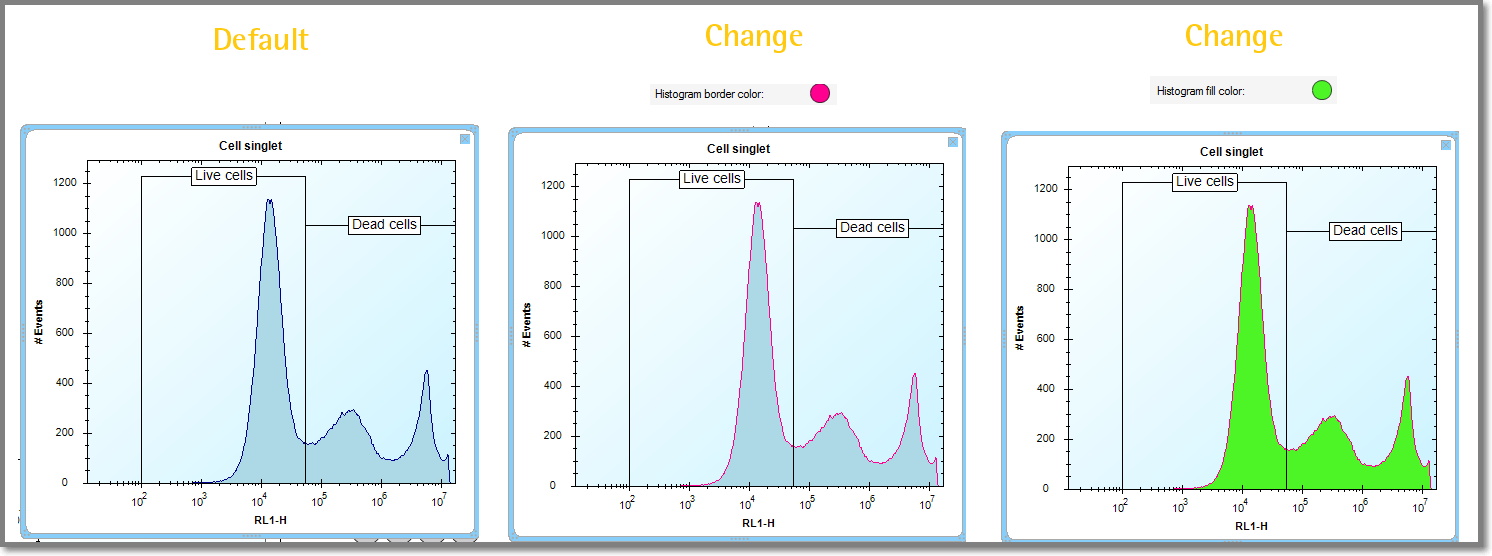
Histogram border/fill color: These display preference colors are for all non-overlay 1D histograms. You can customize them by clicking the colored dot to open the color wheel selection where you can select alternate color for the border and and the fill, as shown in the following screenshot. When you change the Histogram Border/Fill Color, existing histograms update in real time.
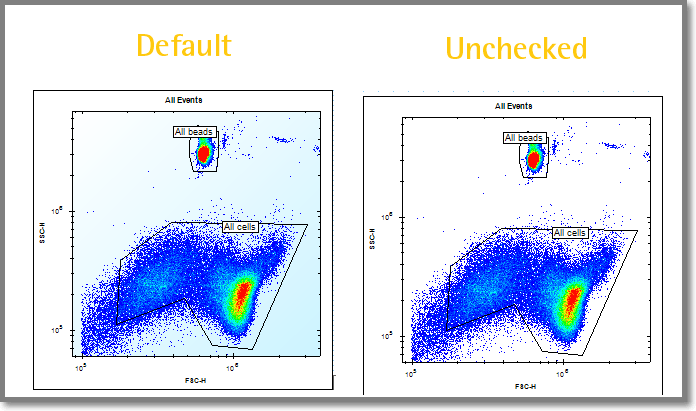
Show background gradient: This field is checked by fault and controls the display of a background gradient in all plots and histograms. If unchecked, the background is solid white instead of the light-blue gradient, as shown in the following screen shot.
Layout
Snap to Grid: This field is checked by default. It automatically aligns new analysis items to a background grid in the workspace.
Show Grid: This field is checked by default. When checked the background grid in the analysis workspace is visible.
Grid Increment: This field is 15 by default; use the drop-down menu to select the desired grid increment.
Grid Line Color: The default is light-blue . Click the colored circle to change the background grid color for the analysis workspaces.
Performance and Behavior
Maximum number of files in FCS cache: this field is 25 by default. When an experiment is opened the FCS data for each loaded plate it is stored locally on the workstation so that switching between plates is faster. Lowering this value can save disk space on your workstation.
Show save reminder notifications: This field is checked by default so iQue Forecyt® displayes reminders to save your experiment. If these "reminders" start to feel like nagging, uncheck to disable the notifications.
CSV Export Encoding
CSV Export Encoding: this field defines the preferred encoding of all CSV exports. By default the option is UTF-8-BOM which includes the BOM (Byte Order Mark) in the CSV header data. If your CSV parser is having issues parsing CSV data, select the UTF-8 option that excludes this special character.